Low-Level Software
AVR Fuses
These are best changed with AVR Studio.
Clock source: Transceiver Crystal Oscillator (I don't think startup time matters, but choose the longest)
Clock div 8: Disabled
JTAG: Disabled
Controlling pins on the AVR
Pins are controlled through three registers: DDRx, PORTx, and PINx, where x is A-F (though the AVR seems to have only B, D, E, F, and G). Each port has eight pins, corresponding to the eight bits of the registers. DDRx is the data direction register; 0 means a pin is input, 1 means output. Output values are written to the PORTx registers, 0 for low and 1 for high. For input pins a 1 in its PORTx register enables an internal pull-up resistor. Current pin values, whether input or output, can be read from the PINx registers. The registers and lots of macros are defined in <avr/io.h>. There is a handy macro _BV(x) defined as (1 << x) for writing to a specific bit, and there are also macros for each bit (eg, PF6 = PORTF6 = PINF6 = 6 = DDE6).
Sample code:
#include <avr/io.h>

int main() {
  DDRB = _BV(DDB4) | _BV(DDB5); // set the 4th and 5th pins of port B to output, and the rest input
  PORTB = 0;
  while (1) {
    if (PINB & _BV(PINB3)) // if 3rd pin of port B is high,
      PORTB |= _BV(PB4); // set 4th pin to high for some reason, and leave it that way forever
  }
  return 0;
}
I/O on the ARM9 Gumstix board
Pin Muxing
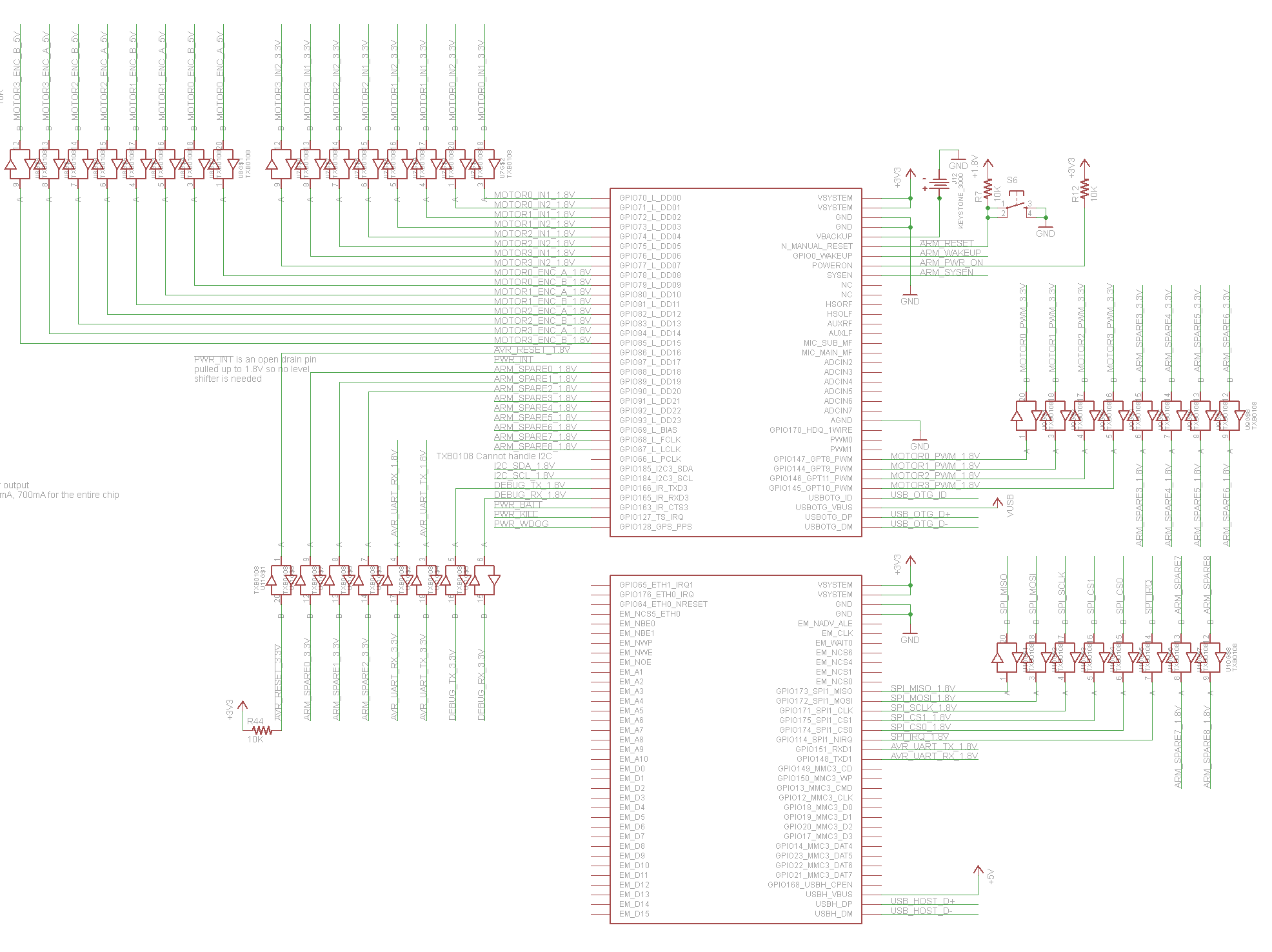
The Texas Instruments OMAP3503 Processor Chip controls the GPIO available through the two 70-pin connectors on the bottom of the Gumstix. However, just because the GPIO pins are connected to solder pads on the bottom of the OMAP processor doesn't mean they actually do GPIO. The OMAP processor is capable of assigning something like six different functions (!) to each of the pins on it, so these have to be set to GPIO mode. Hopefully, these have already been set properly by the bootloader (U-Boot).
See the attached overo-mux.pdf for info on every pin's possible functions. U-Boot handles our pin mux settings, so if you need to make changes, do it in board/overo/overo.h in the U-Boot source. Gumstix Setup has information about applying the patch from our repository. You can use the program devmem2 on the Gumstix to make temporary changes in the memory locations specified in the pdf.
GPIO
Files referenced here are relative to /sys/class/gpio/. Writing a number N into export will create a folder gpioN, which contains files direction (which can be in or out) and value (which can be 0 or 1). All needed GPIO pins should be exported in /etc/rc.local, and the group of gpioN/value should be changed to gpio so that scout can write to them.
Motors
We use the PWM kernel module from https://github.com/scottellis/omap3-pwm, which exposes /dev/pwmN for N from 8 to 11 inclusive. These take decimal values from 0 to 100. Direction is determined by two GPIO outputs per motor. See $(rospack find motors)/src/motors.cpp for example usage in C++. Here is a Bash example:
# Usage: set_motor pwm gpio1 gpio2 value
#        where value is from -100 to 100 inclusive
set_motor() {
  if [ $4 -lt 0 ] ; then
    speed=${4#-}
    in1=0
    in2=1
  else
    if [ $4 -eq 0 ] ; then
      speed=0
      in1=0
      in2=0
    else
      speed=$4
      in1=1
      in2=0
    fi
  fi
  echo $speed > /dev/pwm$1
  echo $in1 > /sys/class/gpio/gpio$2/value
  echo $in2 > /sys/class/gpio/gpio$3/value
}

# Usage: set_all front_left front_right back_left back_right
set_all() {
  set_motor  8 70 71 $1
  set_motor  9 72 73 $2
  set_motor 11 74 75 $3
  set_motor 10 76 77 $4
}
Note that the PWM driver above is ill-behaved and does not support file seeking in /dev/pwm*. Therefore, you cannot open the files read/write or else your fstream will attempt to seek. This is why the motors node opens them with the flag ios::out.
See also: http://www.jumpnowtek.com/index.php?option=com_content&view=article&id=54&Itemid=60
Caveats for Gumstix pin configuration
If I recall correctly, some GPIO and/or PWM is connected to the power management chip on the gumstix (the smaller IC next to the sd card reader). I don't know how to get to these since I've never had to. If you do...Ask me! (Alexander Lam, finger me on the unix servers)
Using rosserial
rosserial is a ROS module that allows ROS modules on one machine to communicate transparently over a serial link. There are also client libraries that allow the creation of ROS nodes on embedded architectures. We intend to use this to create ROS nodes on the AVR that can communicate with those on the Gumstix. Main ROS wiki page.
Rosserial 0.2.0, the version used in ROS Fuerte, does not actually support services properly. This fork does, so clone that repository instead of installing rosserial from apt. (On the Gumstix, you'll need to remove rosserial_msgs/ROS_NOBUILD and run rosmake rosserial_msgs).
On the host side running ROS, the port is /dev/ttyO0 and the baud rate is 38400. This setup is taken care of if you run roslaunch scout_avr rosserial.launch.
On the AVR side, see $(rospack find scout_avr)/Makefile for specifics on how rosserial is handled. Basically, ros_lib is copied in from rosserial_client, and make_library.py is run to generate the needed messages. To add messages from more nodes, add them to ROS_MSG_DEPS at the top of the Makefile and run make ros_lib or make all (make or make default is not enough).
Wireless!
RFA128A Wireless
References for Gumstix
Formatting an SD card / erasing the U-Boot NAND: http://gumstix.org/create-a-bootable-microsd-card.html
Information about the boot sequence: http://www.omappedia.org/wiki/Bootloader_Project
Tips on reducing SD erase/write cycles: http://www.cyrius.com/debian/nslu2/linux-on-flash.html